Category: SEO

  • Google May Be Issuing More Manual Actions: What to Check in Search Console Today

    Google May Be Issuing More Manual Actions: What to Check in Search Console Today

    Google May Be Issuing More Manual Actions. Here Is What to Check Today.

    Quick Answer

    SEOs are reporting more Google manual actions in the weeks around the September 2026 spam update, according to Search Engine Roundtable on October 8. The data is anecdotal, not an official count, but the check takes five minutes: open Search Console, go to Security and Manual Actions, and look for a notice. If you find one, fix the cause across the whole site before you file a reconsideration request.

    What SEOs are actually reporting

    Marie Haynes said on X that she has seen a big increase in requests for help with manual actions, going from essentially none to several per week. She added that it is nowhere near the pre-Penguin era, and that the sites she sees are mostly legitimate, long-standing businesses. SEO Daniel Foley Carter said manual actions are appearing in many places and linked the trend to scaled content abuse, shortcuts, and businesses cutting SEO spend. The Search Engine Roundtable post also reviewed Google Search Central help threads and found a cluster of recent cases about major spam problems, thin content, pure spam, scaled content abuse, and a transparency action.

    Keep the limits in mind. Neither Google nor Search Engine Roundtable has published a total, and two AI tools that were asked to review the same forums said complaints were higher but not a huge spike. Treat this as an early warning, not a confirmed trend. It also lands right after the September 2026 spam update finished rolling out, so many sites are already looking closely at their data.

    What SEOs Are Reporting About Manual Actions0 to severalhelp requests per weekOne SEO’s reported changeover recent weeks4,000URLs removedThin content action stillapplied, per a help thread3 rejectionsafter 6,000+ URLs cleanedReconsideration requestsdenied, per a help threadgclmarketing.com

    A manual action is different from an algorithm hit

    An algorithm update like the spam update changes rankings automatically and there is no message waiting for you. A manual action is a human reviewer applying a penalty, and Google tells you about it in Search Console. That difference matters for your diagnosis. If you see a traffic drop and no notice, you are dealing with an algorithm change and the recovery work is about quality over time. If there is a notice, the fix is specific, and you have to prove it to Google with a reconsideration request.

    Foley Carter claims some sites lose 90 percent or more of their traffic overnight after a manual action. That is his claim, not a Google figure, but it shows why checking early is worth the five minutes.

    Why the causes overlap with what Google already warned about

    The action types being discussed, such as scaled content abuse, thin content, and pure spam, are not new rules. They are the same trust problems we have covered in recent posts. Google called fabricated bylines deception in our fake author warning post, and it expects a human to check AI drafts, covered in the AI content fact-check rule. Publishing unreviewed AI pages in bulk is the fastest way to land in one of these buckets.

    Where SEO, AEO, and GEO meet

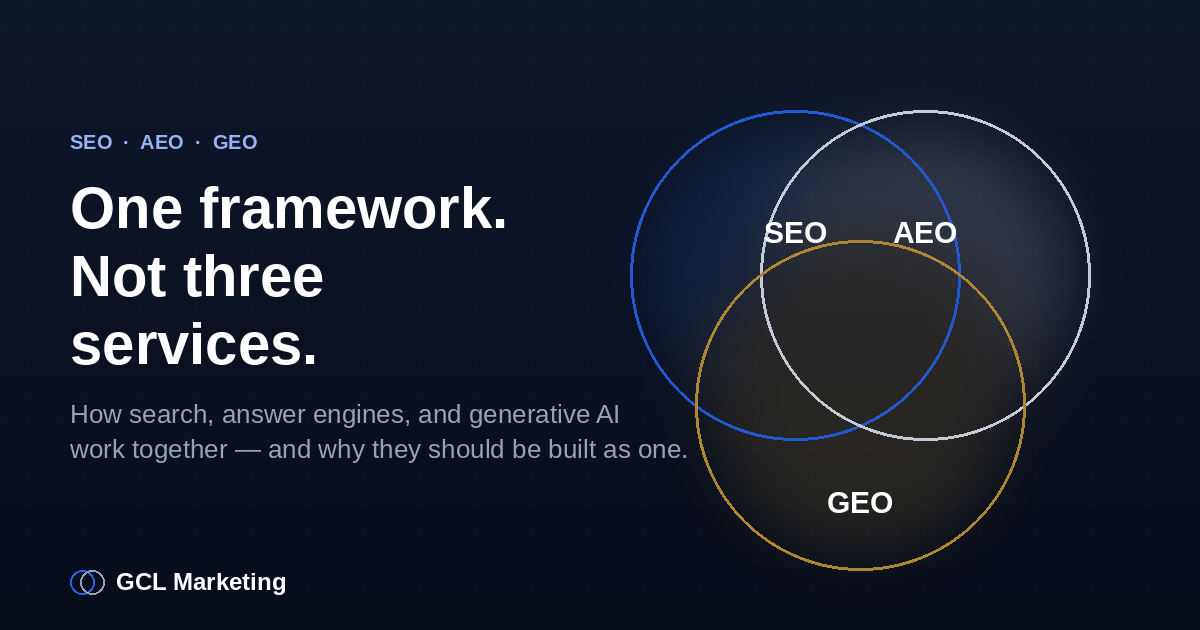
    A manual action does not only hurt classic rankings. Answer engines and AI Overviews draw from pages Google trusts, so a flagged site is a weaker source everywhere. Cleaning up thin and scaled pages is one job that protects your rankings, your answer box chances, and your AI citations together. That is why we run SEO, AEO, and GEO as one framework instead of three separate tasks.

    Your manual action check, in order

    1. Open the report. In Search Console, go to Security and Manual Actions, then Manual Actions. Check every property you own, including the domain property and any subfolders.
    2. Read the exact wording. Note whether the action is site-wide or partial, and which spam policy it names.
    3. Find the pattern, not just the example. Google’s sample URLs are illustrations. Search your site for the same template, topic, or content type and fix all of it. Two forum cases show that removing thousands of URLs was not enough when the underlying problem remained.
    4. Remove or rewrite, then document it. Keep a dated list of what you deleted, merged, noindexed, or rewritten, with real author names and facts a human has verified.
    5. Submit one honest reconsideration request. Explain what was wrong, what you changed, and how you will prevent it. Avoid filing repeat requests before you have fixed more.
    6. Set a monthly check. Add Manual Actions to your regular reporting so a notice never sits unseen.

    The bottom line

    The reports of more manual actions are early and unconfirmed, but the downside of ignoring them is large and the check is quick. Look in Search Console now, fix the whole pattern if you find a notice, and keep your content human-reviewed and honestly attributed so you stay out of the penalty buckets in the first place.

    If you want a second pair of eyes, our SEO services include a Search Console and spam-policy review. You can also see how we connect SEO, AEO, and GEO on our homepage, or browse more articles by topic.

    How do I know if I have a Google manual action?

    Open Search Console and go to Security and Manual Actions, then Manual Actions. If there is a penalty, it appears there with the issue type and affected pages.

    Is a traffic drop after a spam update a manual action?

    Not necessarily. Spam updates are algorithmic and show no notice. A manual action is applied by a reviewer and is reported in Search Console.

    Are manual actions really increasing?

    Some SEOs say yes, and forum threads support a rise in reports. There is no official count from Google, and two AI reviews of the same forums showed higher complaints but no huge spike.
  • Google’s September 2026 Spam Update Is Finished: Your First 7 Days After the Rollout

    Google’s September 2026 Spam Update Is Finished: Your First 7 Days After the Rollout

    Google’s September Spam Update Is Finished. Here Are Your First 7 Days.

    Quick Answer

    Google’s September 2026 spam update started on September 24 and, per Search Engine Roundtable, finished rolling out on October 8. Now that the rollout is over, you can finally measure it cleanly. Compare the full window against the period before September 23, fix anything that breaks Google’s spam policies, and expect recovery to take months, not days.

    The update is over, so the guessing can stop

    For two weeks, every ranking swing came with the same question: is this the update, or is this noise? That question gets easier to answer this week. The rollout started on September 24, hit a heavy weekend on September 28, a second phase on September 30, and a third burst between October 4 and 6. Search Engine Roundtable reported it finished on October 8. If you missed the build-up, our posts on the September 2026 spam update and the final phase of the rollout cover the timeline.

    September 2026 Spam Update: The Full RolloutSept 24Update launchesSept 28Big weekend impactSept 30Phase twoOct 4-6Final phaseOct 8Rollout finishedgclmarketing.com

    What Google has said, and what it has not

    Google called this a normal spam update. It applies to all languages and locations and targets sites that violate its spam policies, and Google did not announce any policy changes alongside it. It is the fourth spam update of 2026, after March, June, and August. Google also would not say what share of queries were affected.

    The part that matters most is the recovery guidance. Google says that if you were hit, reviewing the spam policies and fixing issues can help, but its systems may need months to learn that your site now complies. That means a finished rollout is the start of your recovery clock, not the end of the story.

    How to read your data now

    Use a clean before-and-after window. Compare the two weeks before September 23 against September 24 through October 8, and look at clicks and impressions by page and by query group. A site-wide drop usually points to a policy problem, while a drop on a handful of pages points to page-level quality. Check two or three direct competitors as well, because a move that shows up across your whole niche is the SERP shifting, not a verdict on your site.

    Do not stop at Google rankings. AI Overviews and answer engines pull from the pages Google trusts, so a spam hit tends to show up in citations too. Open the Search Console AI report next to your normal Performance report to see whether visibility moved in both places.

    Where SEO, AEO, and GEO meet

    Spam signals are shared signals. The same trust problems that cost a page its ranking, such as fabricated bylines or unreviewed AI drafts, also reduce its odds of being cited in an AI answer. That is why we treat the three as one framework, not three services. Google has already called fake author profiles deception in our fake author warning post, and expects a human to check AI output, covered in the AI content fact-check rule. Fixing those once helps rankings, answer boxes, and AI citations together.

    Your first 7 days after the rollout

    1. Day 1: Export your comparison. Pull Search Console data for September 9 to 22 and September 24 to October 8, for your top 20 pages and top 50 queries.
    2. Day 2: Segment the change. Sort pages into gained, flat, and lost. Note whether losses cluster by template, topic, or content type.
    3. Day 3: Check the SERP, not just your site. Search your five biggest queries and see which competitors moved up or down, and whether AI Overviews changed what is shown.
    4. Day 4: Audit against the spam policies. Look for hidden text, cloaking, scaled auto-generated filler, doorway pages, expired-domain tricks, and manipulative user-generated content. Rewrite or remove what fails.
    5. Day 5: Fix trust signals. Replace any invented author names, add real bylines and credentials, and make sure a human has fact-checked every AI-assisted page.
    6. Day 6: Log every change with a date. A simple change log lets you connect later movement to a specific fix.
    7. Day 7: Set a review rhythm. Re-check your data every two weeks, not daily, and do not undo good fixes because of a short dip.

    The bottom line

    The rollout is done, so this is the moment to replace guesswork with a clean comparison. Fix what breaks the spam policies, strengthen the trust signals that AI answers also reward, and give recovery the months Google says it can take. Sites with real, reviewed content have the least to worry about before the next update.

    If you lost traffic and want to know whether this update caused it, our SEO services include a post-update diagnosis alongside rankings and AI visibility work. You can also see how we run SEO, AEO, and GEO as one strategy on our homepage, or browse more articles by topic.

    When did Google’s September 2026 spam update finish?

    Search Engine Roundtable reported on October 8, 2026 that the rollout had finished. It began on September 24, so it ran for about two weeks.

    How long does it take to recover from a spam update?

    Google says its systems can take months to learn that a site now complies with its spam policies, so recovery is not immediate even after you fix issues.

    Should I make big site changes right after the update ends?

    Fix clear policy problems, but avoid broad rewrites based on one week of data. Compare the full rollout window first, then change what the data supports.

  • SEO Traffic Is Up but Leads Are Flat? 7 Leaks to Fix Before You Buy More Traffic

    SEO Traffic Is Up but Leads Are Flat? 7 Leaks to Fix Before You Buy More Traffic

    SEO Traffic Is Up but Leads Are Flat? Find the Leak Before You Buy More Traffic.

    Quick Answer

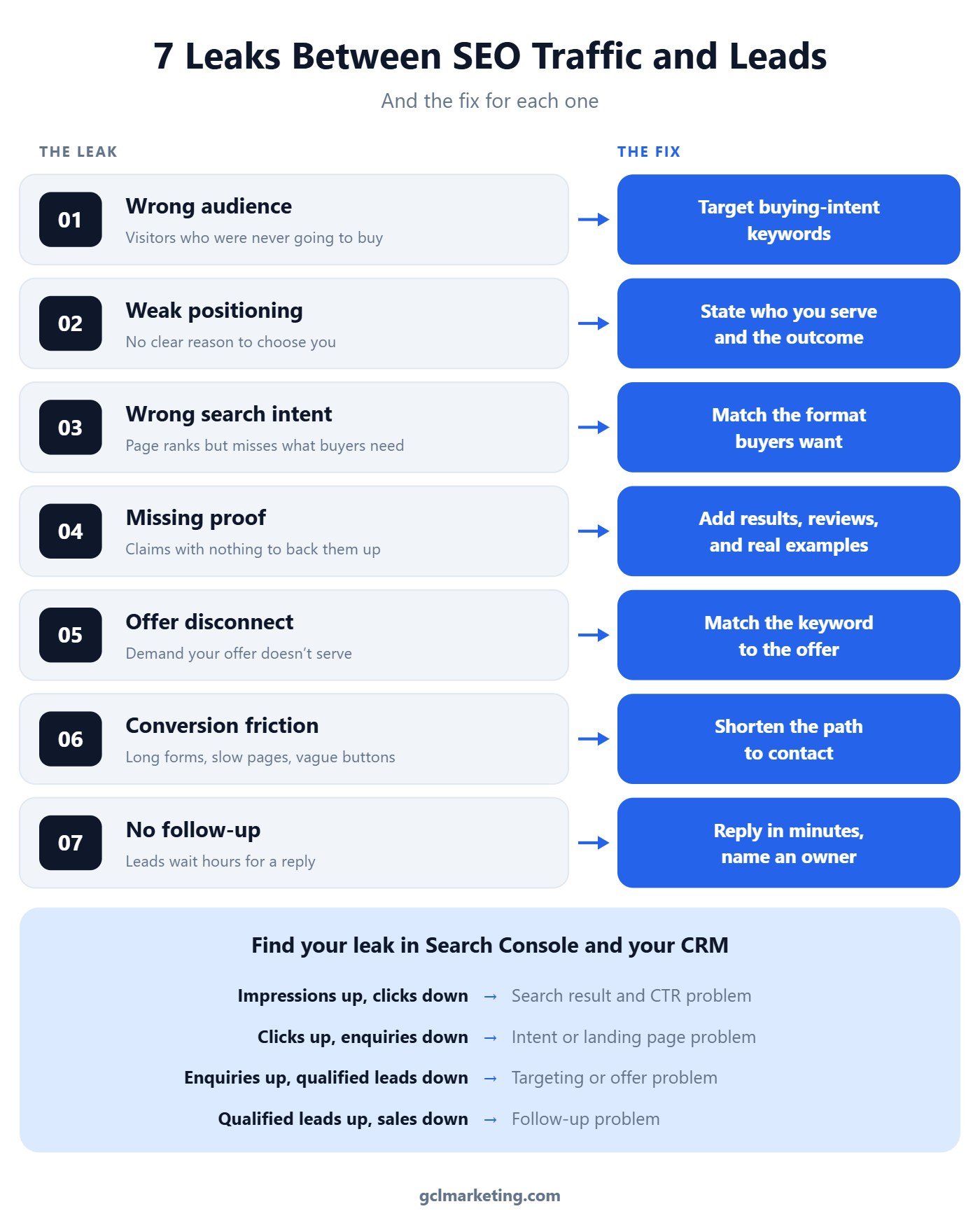
    When SEO traffic grows but leads do not, the problem is rarely the amount of traffic. It is a leak at one stage between the search result and the sale: the click, the page, the offer, or the follow-up. Compare impressions, clicks, enquiries, qualified leads, and sales side by side, find the first stage where the numbers stop rising together, and fix that stage before you publish another post.

    Seven leaks between SEO traffic and leads, each paired with its fix, plus a quick diagnosis guide

    Why more traffic does not fix a lead problem

    Traffic is an input, not an outcome. First Page Sage benchmarks put the average B2B SEO conversion rate at around 2.6%, which means most organic visitors never become a lead even on a healthy site. If your rate sits well below that, doubling traffic mostly doubles the number of people who leave.

    The useful question is not “how do we get more visitors?” but “where do the visitors we already have drop out?” Each leak below has a different cause and a different fix. Treating them as one vague conversion problem is how teams end up redesigning a homepage when the real issue is an unanswered contact form.

    Leak 1: Wrong audience

    Traffic comes from people who were never likely to buy. Informational “what is” keywords bring students, researchers, and competitors, so a page can carry thousands of visits and almost no buyers.

    How to fix it: Shift effort toward keywords with buying intent, the ones that include a service, a location, a price, a comparison, or words like “hire”, “near me”, and “cost”. In Search Console, sort your landing pages by clicks and mark which queries a buyer would actually type.

    Leak 2: Weak positioning

    Visitors land and cannot tell in a few seconds why they should pick you. If your headline could sit on any competitor’s site unchanged, it is not doing its job.

    How to fix it: Rewrite the first screen of each top page to answer three things: who you serve, the outcome you deliver, and what makes you different. Read it out loud with a competitor’s name swapped in. If it still works, it is too generic.

    Leak 3: Wrong search intent

    The page ranks, but it does not match what the searcher came to do. Someone searching “emergency plumber near me” wants a phone number in the first screen, not a long guide.

    How to fix it: Search your target query and study the top results. If they are service pages, do not try to rank a blog post; if they are comparisons, publish a comparison. Then put the next step a buyer needs, a call button, a quote form, or pricing, where they see it without scrolling.

    Leak 4: Missing proof

    Claims without evidence stall buyers at the moment they decide. “Proven results” and “trusted experts” mean nothing without something to back them up.

    How to fix it: Add proof next to the claim it supports: a real result with a number, a named review, a screenshot, or a short case example. Only use proof you can verify. One honest, specific result beats five vague ones.

    Leak 5: Offer disconnect

    The page attracts demand your offer does not serve. A post ranking for “free SEO tools” pulls in people who want free tools, not an agency retainer, so the enquiries that do come in rarely qualify.

    How to fix it: Line up each high-traffic page with an offer that fits its audience. Either retarget the page to a keyword that matches what you sell, or give that audience a matching first step, such as a free audit for a tools audience.

    Leak 6: Conversion friction

    The visitor is ready, and the page gets in the way. Long forms, broken mobile layouts, slow load times, and buttons that do not say what happens next all lose buyers who wanted to talk.

    How to fix it: Test every form and button on your phone. Cut forms to the fields you truly need, add a click-to-call option, and change vague buttons like “Submit” to say what happens next, such as “Get my free quote”.

    Leak 7: No follow-up system

    This is the most expensive leak because the visitor already raised their hand. Lead response research from InsideSales and Dr. James Oldroyd found that contacting a lead within 5 minutes made it about 21 times more likely to qualify than waiting 30 minutes. A Harvard Business Review analysis found companies that reached out within an hour were nearly seven times more likely to qualify the lead than those that waited longer.

    How to fix it: Name one owner for new enquiries, set a reply-time target, and send an instant confirmation so the lead knows a real reply is coming. Track median response time every week, the same way you track rankings.

    What about the clicks you never get?

    Some leaks start before anyone reaches your site. Seer Interactive found organic click-through rate on queries showing an AI Overview fell from about 1.76% to 0.61%, and Ahrefs measured a 58% drop in clicks to the top-ranking page when an AI Overview appears. If impressions climb while clicks stay flat, the problem is the search result, not the page.

    Seer also reported that brands cited inside an AI Overview earn noticeably higher organic CTR than uncited brands on the same queries. That is where SEO, AEO, and GEO stop being separate projects, which is why we treat them as one framework, not three services. Our guide to the Search Console AI report shows how to spot this in your own data.

    How to diagnose your leak in 30 minutes

    Put five numbers for the same period in one row: impressions and clicks from Search Console, enquiries from your forms and calls, qualified leads from your CRM or inbox, and closed sales. Then read the first stage where one number rises while the next one falls.

    1. Impressions up, clicks down. A search result problem. Rewrite titles and meta descriptions on your highest-impression pages and check which queries now show an AI Overview.
    2. Clicks up, enquiries down. A page or intent problem. Compare each top landing page against the format of the pages ranking above it, and put the call to action in the first screen.
    3. Enquiries up, qualified leads down. A targeting or offer problem. Tag every enquiry by landing page and cut or retarget the pages that send unqualified leads.
    4. Qualified leads up, sales down. A follow-up problem. Set a reply-time target, name one owner for new enquiries, and track median response time weekly.
    5. Fix one stage at a time. Note the date of each change and give it two to four weeks before judging, so you know which fix moved the number.

    The bottom line

    Rankings and traffic are early signals, not results. Most sites with flat leads already have enough visitors; they lose them at one stage that nobody is measuring. Find that stage, fix it, and every future ranking gain is worth more.

    If you want help finding where your search traffic leaks, our SEO services connect rankings, AI visibility, and lead tracking in one plan. You can also see how we run SEO, AEO, and GEO as one strategy on our homepage, or browse more articles by topic.

    What is a good conversion rate for SEO traffic?

    It depends on industry and the action you count, but First Page Sage benchmarks put average B2B SEO conversion at around 2.6%. Compare your own pages against each other first, since your best page shows what your site can do.

    Why is my organic traffic growing but my leads are not?

    Usually the new traffic comes from informational queries with little buying intent, or your pages, offer, or follow-up are losing visitors at a specific stage. Map the funnel stage by stage to find where the numbers split.

    Do AI Overviews reduce leads from SEO?

    They reduce clicks on many informational queries, which can lower traffic. Buying-intent queries and pages cited in AI answers hold up better, so focus on being the cited source and on converting the visitors who do arrive.

  • Google’s Local Results Changed Twice on October 7: WhatsApp Buttons Arrive, Healthcare Review Stars Fade

    Google’s Local Results Changed Twice on October 7: WhatsApp Buttons Arrive, Healthcare Review Stars Fade

    Google’s Local Results Changed Twice on October 7. Here Is What to Check.

    Quick Answer

    On October 7, Search Engine Roundtable reported that Google is showing WhatsApp buttons in local panels and appears to have stopped showing review rich results for healthcare pages. Local businesses should add their messaging channel to their profile and stop relying on star ratings to win the click.

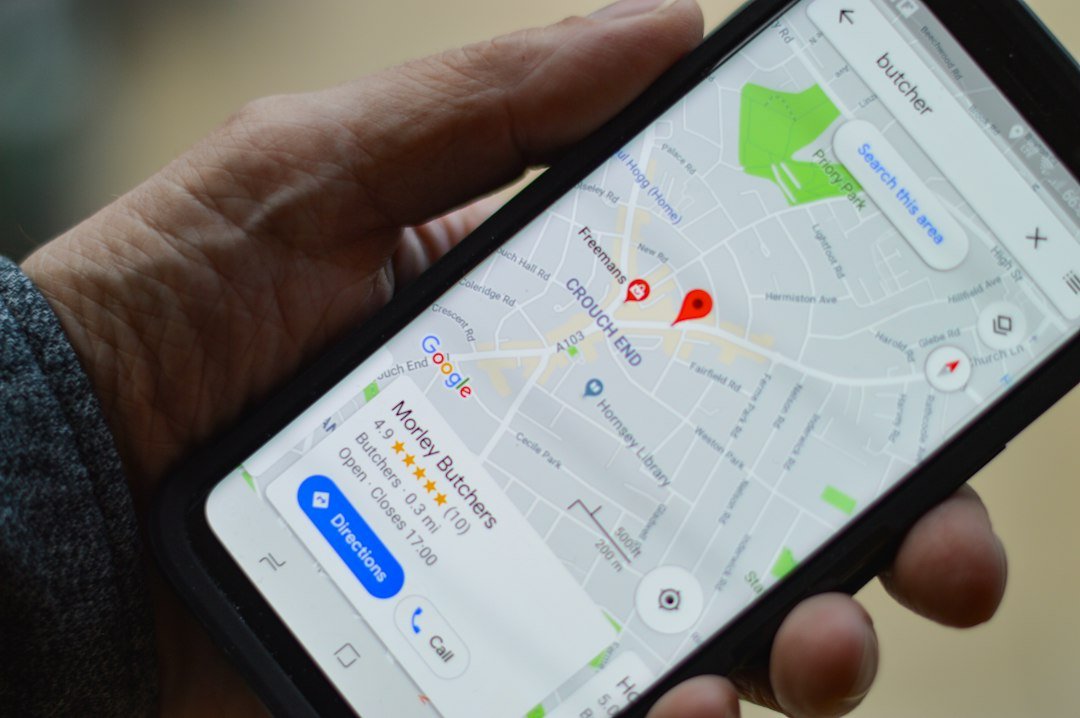
    Smartphone showing a local map search, representing Google local panel changes in October 2026

    What changed in Google’s local results

    Barry Schwartz of Search Engine Roundtable reported that Google now shows WhatsApp buttons in local panel results, either in place of the chat button or alongside the usual call, directions, and website actions. A searcher can message a business on WhatsApp straight from the panel, with no form and no phone call.

    The second change went the other way. Search Engine Roundtable also reported that Google seems to no longer show review rich results for healthcare web pages, even when those pages carry review schema or other structured data. Google had not published a full explanation in the sources we reviewed, so treat this as an observed change, not a confirmed policy.

    Why the WhatsApp button matters for local businesses

    A messaging button shortens the path from search to conversation. For service businesses that win customers through quick questions, quotes, and bookings, a message is often an easier first step than a call. WhatsApp is also widely used for business chats in markets we serve, including Singapore, Australia, and the Philippines.

    The button is a listing feature, not a ranking factor, so it will not lift you in the map pack by itself. What it can do is raise the share of searchers who contact you once they find you, which makes a complete, accurate business profile worth more than before.

    What the review snippet change means for healthcare sites

    If you publish healthcare pages with review markup, the stars under your listing may be gone. That does not mean the markup is wrong or that your rankings dropped. It means the result looks plainer, so your title, description, and real reputation on your Google Business Profile carry more weight in the click decision. Google also keeps tightening its stance on deceptive content, as we covered in our post on the fake author warning.

    Where SEO, AEO, and GEO meet

    Local visibility is no longer only the map pack. AI Overviews and answer engines pull from the same business information that feeds your local listing, so inconsistent details hurt you in both places. That is why we treat the three as one framework, not three services.

    If your traffic looks off this week, remember the September spam update only just finished its last phase. Separate listing changes from update noise before you react, and use the Search Console AI report to see how much of your visibility now sits inside AI results.

    What to do this week

    1. Check your Google Business Profile for the WhatsApp button. Search your business name on a phone and update your messaging details if the button is missing or wrong.
    2. Assign an owner for WhatsApp replies. Set a reply-time target so new leads do not go cold.
    3. Audit review markup on healthcare or service pages. Only mark up reviews visible on the page, and do not expect the star display to return on a schedule.
    4. Rewrite titles and meta descriptions on your top local pages. Lead with the service, the location, and one concrete reason to choose you.
    5. Compare Search Console clicks before and after October 7. Filter to local landing pages, check click-through rate, and note the date next to any change you make.
    6. Match your business details everywhere. Name, address, phone, hours, and services should read the same on your site, profile, and directories.

    The bottom line

    Google keeps reshaping what a local result looks like, adding a message button in one place and removing review stars in another. The businesses that hold up have accurate profiles, fast replies, and pages that earn the click on their own merit.

    If you want a second pair of eyes on your listing and snippets, our SEO services cover local profile optimization alongside rankings and AI visibility work. You can also see how we run SEO, AEO, and GEO as one strategy on our homepage, or browse more articles by topic.

    Does the WhatsApp button improve my local rankings?

    There is no evidence that it does. It is a listing action button, so its value comes from making it easier for searchers to contact you once they find your profile.

    Did Google officially announce the healthcare review snippet change?

    Not in the sources we reviewed. Search Engine Roundtable reported that Google seems to no longer show review rich results for healthcare pages, so treat it as an observed change until Google documents it.

    Should I remove review schema from my healthcare pages?

    Not automatically. Accurate structured data still helps Google understand your page. Just do not rely on the star display to drive clicks, and only mark up reviews that are visible on the page.

  • Google’s September 2026 Spam Update Is Nearly Done: How to Read Your Traffic

    Google’s September 2026 Spam Update Is Nearly Done: How to Read Your Traffic

    Google’s September Spam Update Is Nearly Done. Here Is How to Read Your Traffic.

    Quick Answer

    Google’s September 2026 spam update began on September 24 and hit a third phase between October 4 and 6. Search Engine Roundtable expects it to finish any day, though Google has not yet confirmed completion. Wait for the official end date before judging your traffic, then compare your results against the full window from before September 23 through the end of the rollout.

    Where the update stands on October 7

    The update was released on September 24 and applies worldwide, in all languages. It is the fourth spam update of 2026. Google said it could take up to two weeks, and John Mueller noted it would likely take longer than some previous ones. Search Engine Roundtable tracked the pattern: heavy volatility over the weekend of September 28, a second phase on September 30, and a third phase between October 4 and 6. Multiple ranking tools, including Semrush and AWR, showed a third spike in that last window.

    Google has not officially said the rollout is finished. Barry Schwartz wrote that it should be done any day now, so treat today as the late stage of the update, not the end. If you want the background and the first-week checklist, start with our earlier post on the September 2026 spam update.

    Why this one is harder to read than past spam updates

    Earlier spam updates in 2026 were short. The March update ran about 19 hours, and the June and August updates each ran two to three days. A rollout of up to two weeks gives you a much wider window that overlaps with normal ranking noise, seasonal swings, and competitor changes. Semrush points out that this makes it harder to isolate what the update itself did to your site.

    The practical fix is to stop looking at a single day. Compare clicks and impressions from the week before September 23 against the full rollout, check whether competitors in your space moved in the same window, and look at visibility beyond Google alone. Google says sites that fix problems may recover, but its automated systems can take months to learn that a site now complies. A quick bounce back is not guaranteed, and a drop does not always mean a penalty.

    Where SEO, AEO, and GEO meet

    A spam update is not only a ranking event. AI Overviews and answer engines draw from the same pool of pages Google trusts, so a site flagged for deceptive or auto-generated content tends to lose both rankings and citations. That is why we treat the three as one framework, not three services. Check the Search Console AI report alongside your normal performance report, because a gap between the two can show where trust is slipping.

    The same quality signals keep showing up. Google recently called fabricated bylines deception, which we covered in our post on the fake author warning, and it now expects a human to review AI drafts, as explained in the AI content fact-check rule. Both sit close to the top of the ranking factors experts rate highest.

    What to do this week

    1. Wait for Google’s official completion note. Do not make big changes while the rollout is still moving. Check the Search Status Dashboard for the end date.
    2. Export a before and after comparison. In Search Console, compare the period before September 23 with the full rollout window for your top 20 pages and top queries.
    3. Segment the drop. Look at which pages and query types fell. A site-wide drop points to a policy issue, while a drop on a few pages points to page-level quality.
    4. Check competitors and the wider SERP. If every site in your niche moved, the cause may be the SERP itself and not your pages.
    5. Audit against Google’s spam policies. Look for hidden text, cloaked pages, auto-generated filler, thin doorway pages, and link schemes. Remove or rewrite what fails.
    6. Document your fixes with dates. Because recovery can take months, a clear log of what changed and when helps you tie any later movement to a cause.

    The bottom line

    This update is stretching over two weeks, so the right move is patience and clean measurement, not panic edits. Read your traffic across the full window, separate site-wide problems from page-level ones, and fix anything that breaks Google’s spam policies. Sites built on real, reviewed, human-backed content are the ones least exposed to the next update.

    If you saw a drop and want a clear read on whether it is spam-related, our SEO services include a post-update diagnosis alongside rankings and AI visibility work. You can also see how we approach SEO, AEO, and GEO as one strategy on our homepage, or browse more articles by topic.

    Has Google confirmed the September 2026 spam update is finished?

    Not as of October 7. Search Engine Roundtable reports a third phase between October 4 and 6 and expects completion any day, but check Google’s Search Status Dashboard for the official end date.

    How long can recovery take after a spam update?

    Google says that making changes may help if its automated systems learn, over a period of months, that your site complies with its spam policies. Recovery is not instant.

    Does a traffic drop mean my site was hit by the spam update?

    Not necessarily. The long rollout overlaps with normal volatility, so compare against competitors and the full window before concluding it was spam related.

  • Google September 2026 Spam Update: What Business Owners Should Do Now

    Google September 2026 Spam Update: What Business Owners Should Do Now

    Google September 2026 Spam Update: What Business Owners Should Do Now

    Quick Answer

    Google began rolling out its September 2026 spam update on September 24. It applies globally to all languages and may take up to two weeks to finish. Google has not said which spam policy it targets, so the safest move is to wait for the rollout to end, compare your Search Console data, and review your content against Google’s spam policies.

    Google released its September 2026 spam update on September 24, and it applies globally to all languages. Google says the rollout may take up to two weeks, and that is longer than the few days it gave the three earlier spam updates this year. If you rely on Google for leads, here is what you need to know.

    What we know so far

    This is Google’s fourth spam update of 2026, after March, June, and August. Google has not said which spam policy or tactic this update targets. It is also not a core update. A spam update improves how Google’s automated systems detect content that breaks its spam policies.

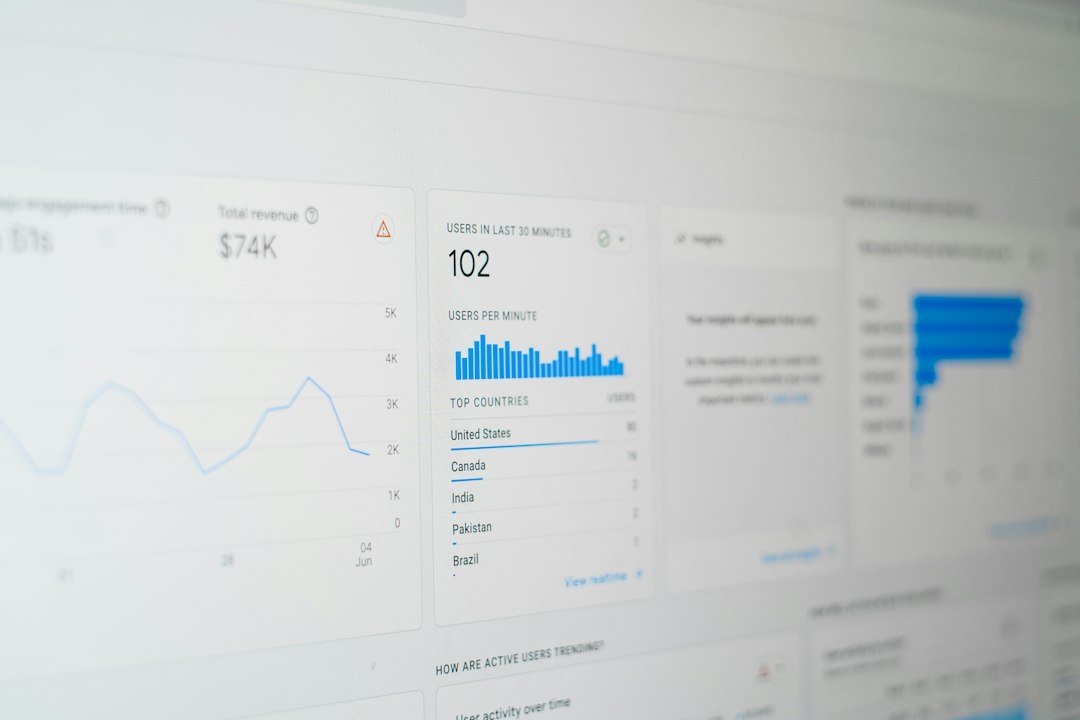
    Google Analytics overview report on a screen showing website traffic data

    Photo: Myriam Jessier on Unsplash

    What spam updates usually go after

    Google has not named a target this time, so treat this as a list of past patterns, not confirmed details. Spam policies have historically covered:

    • Mass-produced, low-value content published just to capture search traffic
    • Keyword stuffing
    • Thin pages with little original information
    • Link schemes and other ranking manipulation

    AI-assisted content is not automatically spam. Google’s spam documentation also now says that trying to manipulate generative AI responses in Search counts as spam. What matters is whether the page helps the person reading it.

    How to check if your site was affected

    • Open Google Search Console and compare clicks and impressions before and after September 24.
    • Look at your top pages and top queries for sudden drops.
    • Because the rollout runs longer than usual, the first few days of data may not show the full effect, so check again once it finishes.
    • Do not change anything in a panic. Wait until the rollout is complete before you judge the results.

    What to do if your rankings dropped

    Google says sites that see changes after a spam update should review its spam policies. Then audit your site honestly. Remove or improve thin pages, cut anything written only for search engines, and clean up links you built or bought. Improvements usually take time to show up, so plan for weeks, not days.

    What to do if nothing changed

    Good, but do not ignore the update. Four spam updates in one year show Google is tightening enforcement. Now is a good time to review your older content and make sure every page earns its place.

    Need help checking your site?

    If you saw a traffic drop after September 24 and want a second opinion, GCL Marketing can review your site and tell you what to fix first. See our SEO services.

    When did the September 2026 spam update start?

    Google began rolling it out on September 24, 2026. It applies globally and to all languages.

    How long will the September 2026 spam update take?

    Google says it may take up to two weeks. The three earlier spam updates this year each finished within about three days, so this rollout is expected to run longer.

    Is the September 2026 spam update a core update?

    No. It is a spam update, which improves the systems that detect content that breaks Google’s spam policies.

    Is AI-assisted content treated as spam?

    Not automatically. What matters is whether the content helps the reader and whether it breaks Google’s spam policies, such as mass-produced low-value pages.

  • SEO, AEO, and GEO: Why They’re One Framework, Not Three Services

    SEO, AEO, and GEO: Why They’re One Framework, Not Three Services

    SEO, AEO, and GEO: Why They’re One Framework, Not Three Services

    Quick Answer

    SEO, AEO, and GEO all depend on the same underlying asset: clear, well-structured, genuinely useful content backed by a technically sound site. Selling them as three separate services fragments a budget that should be funding one connected system.

    Why this matters now

    Search behavior has split across more surfaces than it used to — traditional blue-link results, featured snippets and answer boxes, and AI-generated answers from tools like ChatGPT and Perplexity. Google’s own I/O 2026 announcements leaned further into AI-generated answers inside search itself, and data from SparkToro has tracked a rising share of searches that end without a click to any website at all. Agencies that treat SEO, AEO, and GEO as three separate invoices are asking clients to fund three efforts that actually draw from the same well.

    What SEO does

    Traditional SEO gets a page found and ranked in classic search results: technical crawlability, on-page relevance, and site authority. This is the foundation everything else sits on — see GCL’s Technical SEO and On-Page SEO services.

    What AEO does

    Answer Engine Optimization structures that same content so it can win the direct answer — a featured snippet, a voice search response, an FAQ box — rather than just a ranking position. It relies on clear, direct-answer formatting layered on top of solid SEO fundamentals, not a separate content strategy. See GCL’s AEO service.

    What GEO does

    Generative Engine Optimization is newer: making content something an AI answer engine can confidently cite and summarize accurately. It leans on the same content quality and clarity signals as SEO and AEO, plus added attention to source credibility and structured, quotable phrasing. See GCL’s GEO service.

    SEOAEOGEO
    GoalRank in search resultsWin the direct answerGet cited by AI answers
    Primary surfaceSearch results pageSnippets, voice, FAQsChatGPT, Perplexity, AI Overviews
    FoundationTechnical health + relevanceSEO + direct-answer structureSEO + AEO + source credibility

    Why splitting them into three services backfires

    Because AEO and GEO are both built on top of solid SEO, treating them as separate line items usually means paying three times for overlapping foundational work — or worse, getting AEO and GEO tactics layered onto a site with unresolved technical SEO problems underneath, which caps the return on all three. This is the reasoning behind GCL’s own framework, explained on the homepage.

    What does AEO stand for?

    Answer Engine Optimization — structuring content to win featured snippets, voice answers, and other direct-answer placements.

    What does GEO stand for?

    Generative Engine Optimization — optimizing content so AI tools like ChatGPT and Perplexity can accurately cite and summarize it.

    Should SEO, AEO, and GEO be bought as separate services?

    They can be, but since AEO and GEO both depend on strong underlying SEO, buying them separately often means paying repeatedly for the same foundational work.

    Does GEO replace traditional SEO?

    No. GEO builds on the same technical and content foundation as SEO — it doesn’t work well without it.

    Why is search behavior changing in 2026?

    More searches are being answered directly inside AI tools and search result pages themselves, reducing the share of searches that result in a click to a website.

    Related resources: See GCL’s full Services breakdown, learn more About GCL Marketing, or check Case Studies for verified results as they publish.

Schedule time with us